
Shot List Introduction
Interesting, different and appropriate shots are an area of this course that I have really been drawn to. I like thinking about different angles to get my message for each shot across to my audience. My Year 1 FMP was a documentary all about a particular group of shots – shoots where the camera is moving, and how a Fiction Film/TV Director and Cinematographer can use these types of shots to evoke the type of response in the audience that the Director is after. This particularly interests me because I hope to eventually become a Fiction Film/TV Director via a cinematography route.
My Slider
For my Year 1 Interactive Neo Noir Crime Film, which I wrote, directed, filmed and edited, I used a College Slider to get moving shots. I also used it to allow me to get some interesting shots where I used the slider to move the camera behind one of the characters, and out from behind the same or a different character to create some interesting transitions by my editing.
Here is a link to my Year 1 Interactive Neo Noir Crime Film.
Because I enjoyed the shots the slider enables me to film, as part of my 18th Birthday present last year, I researched and chose an E-image ES-90 Slider Track, which I used in my Year 1 FMP. I also used it in an Independent Film that my group 90%Bloopers filmed over Year 2 Autumn half term, where I was Director and Joint Cinematographer. This Film, “Herbert”, is an Adaptation of Emma. I include it in my discussion of Diversity in the Diversity and Characters Section.
Here is a link to it.
I will be using my Slider in my Year 2 FMP film, and I have some challenging and interesting shots ideas to use it for. I am being ambitious and trying something that I haven’t done before, which is having one actor playing more than one version of their character, so they have dialogue with themselves. Rather than just use stationary shots for this, I intend to use my slider to get moving shots for this too. And there is a very fancy reveal shot where I will combine a pan round reveal type shot with also having the same actor appear twice in the shot (fancy editing). I tried this as part of my test filming. It was tricky since I don’t have a motor for my slider (they are very expensive) so I had to try to judge the speed of the movement to match it for editing. It went well on my first Test Filming day with my Canon EOS 60D, and I am pleased with my Test editing of it. I am looking forward to re-creating it in my Principal Photography.
Filming with 2 cameras
Throughout my projects, I have also been very interested in filming with 2 cameras rather than just one camera. I was planning on using 2 cameras to film my “incompetent robbers” idea. I used 2 cameras for my Year 1 Interactive Neo Noir Crime film, and I was very pleased with the extra options it gave me when editing. However, a key part of my final idea for my Year 2 FMP, Time Travel, is that I want to be able to film in 4K and export in 1080p. This is because I am planning on some shots with 2 characters played by the same actor being on screen at the same time. I am aware, from my research, of the importance of matching the shots for being able to mask and crop successfully. I am also attempting a moving shot with the same actor in twice. Filming in 4K gives me more flexibility to crop the shots and not lose resolution.
I did some test filming with both the Panasonic Lumix S1H 4K camera and my own Canon EOS 60D to try editing them together to see if there was a way to use my Canon as a second camera, but I felt that the difference between the 2 lots of footage was too much. This may be because I am a perfectionist, but when I did my GCSE film, “Serebrus”, I used a few different cameras, due to equipment issues, and the difference in the footage between them always bugs me when I watch it back. Since we only have one College Panasonic Lumix S1H, I made the decision that much as I would like to film with 2 cameras, I consider that it is more important for my film for me to film in 4K.
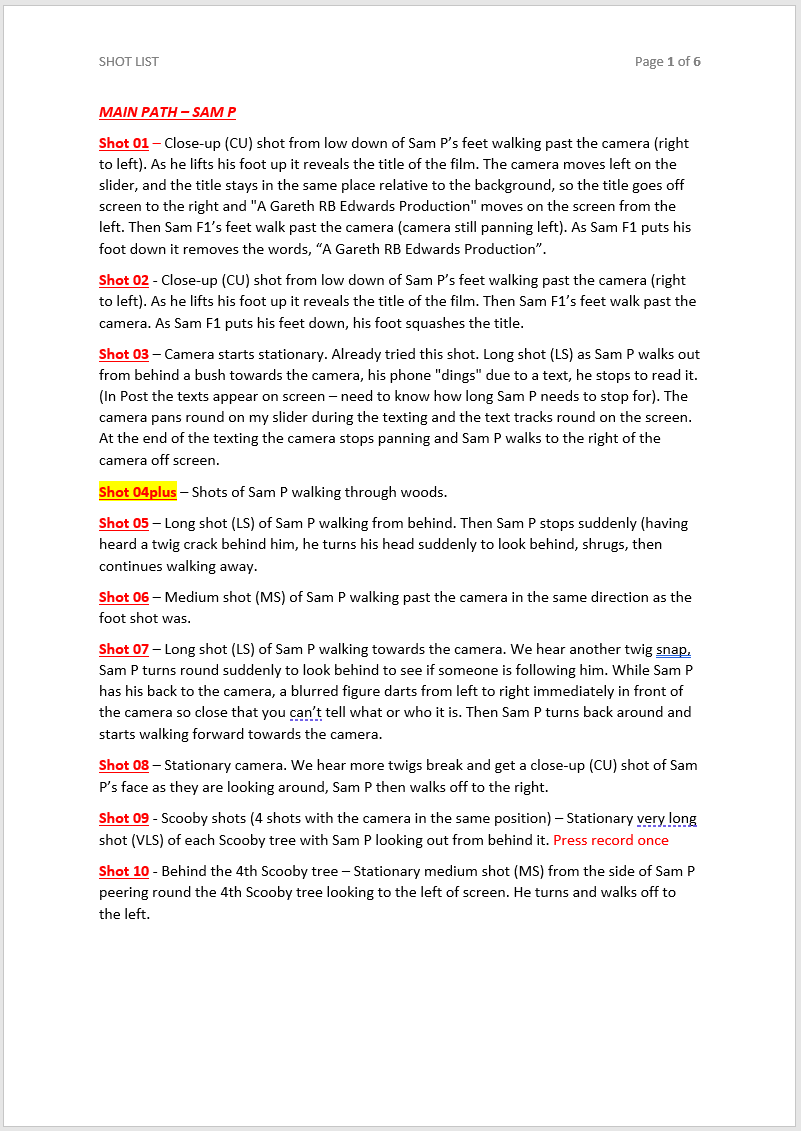
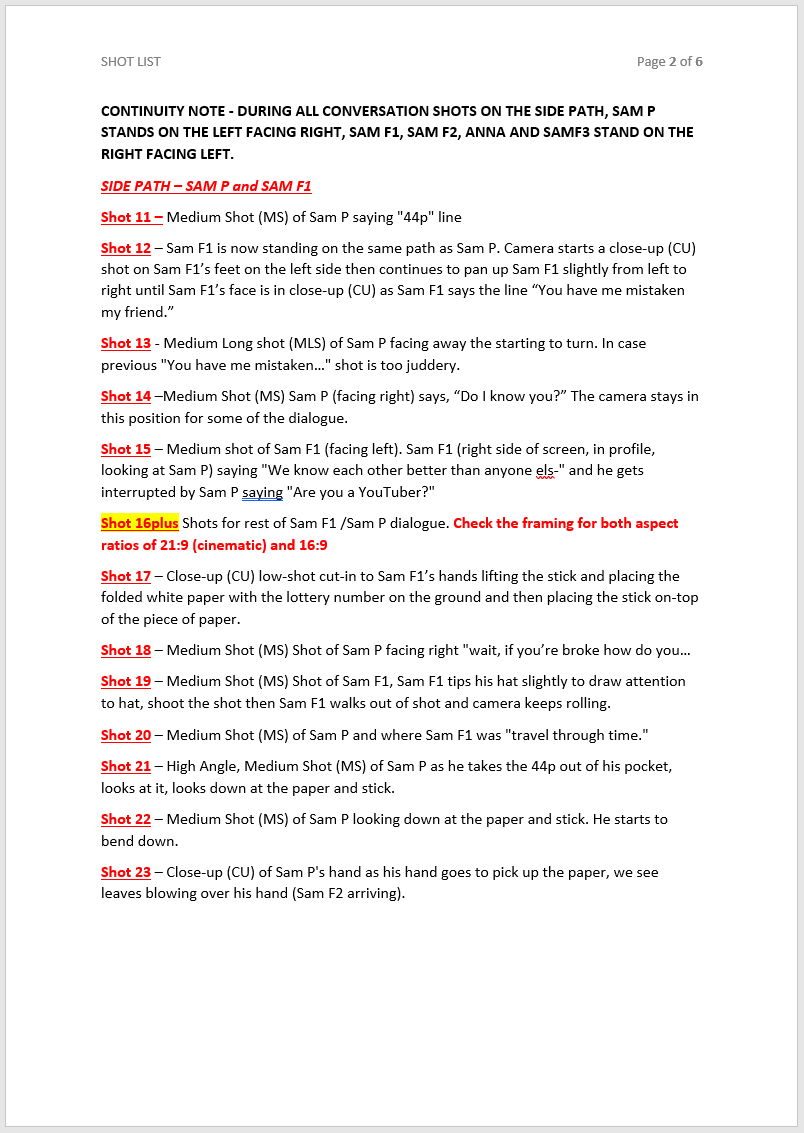
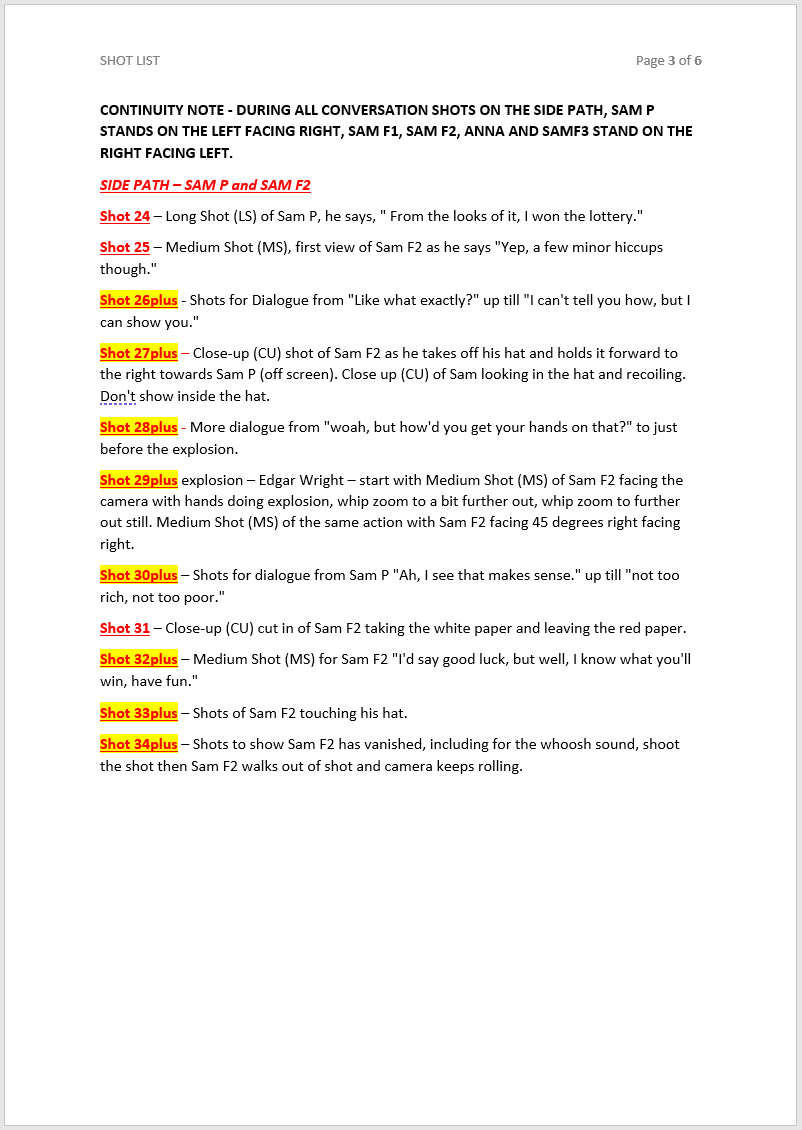
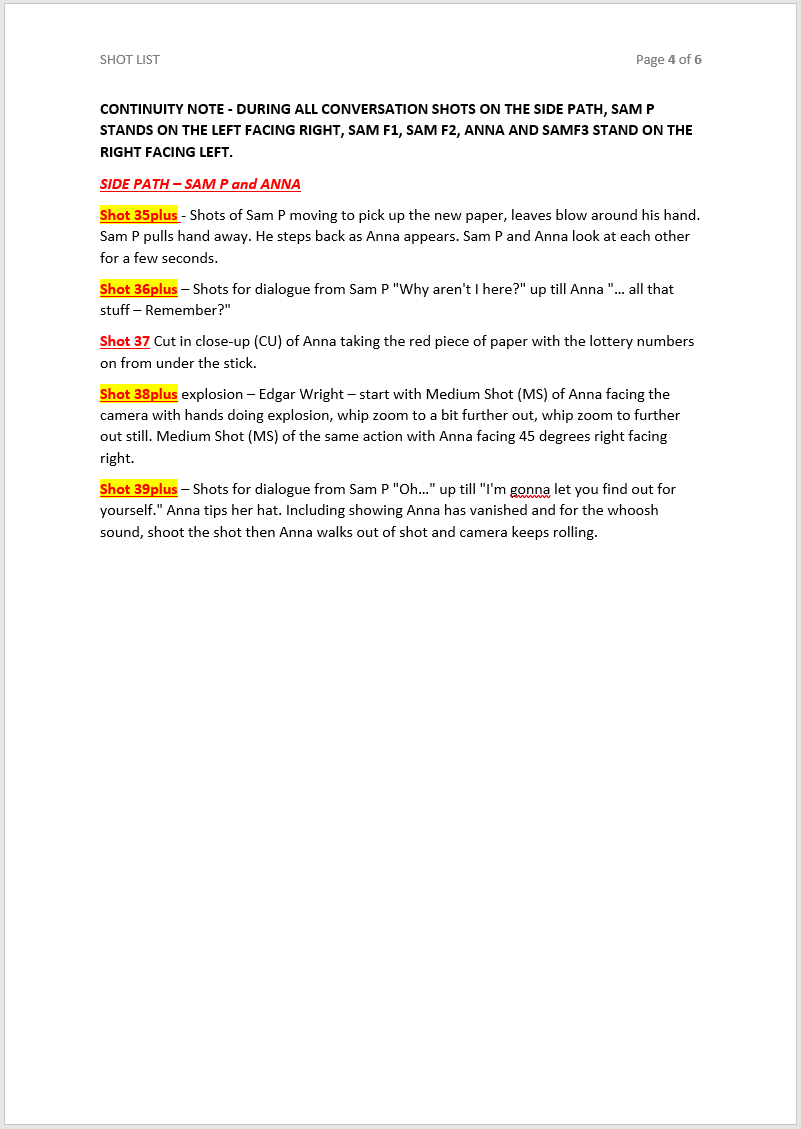
Shot List
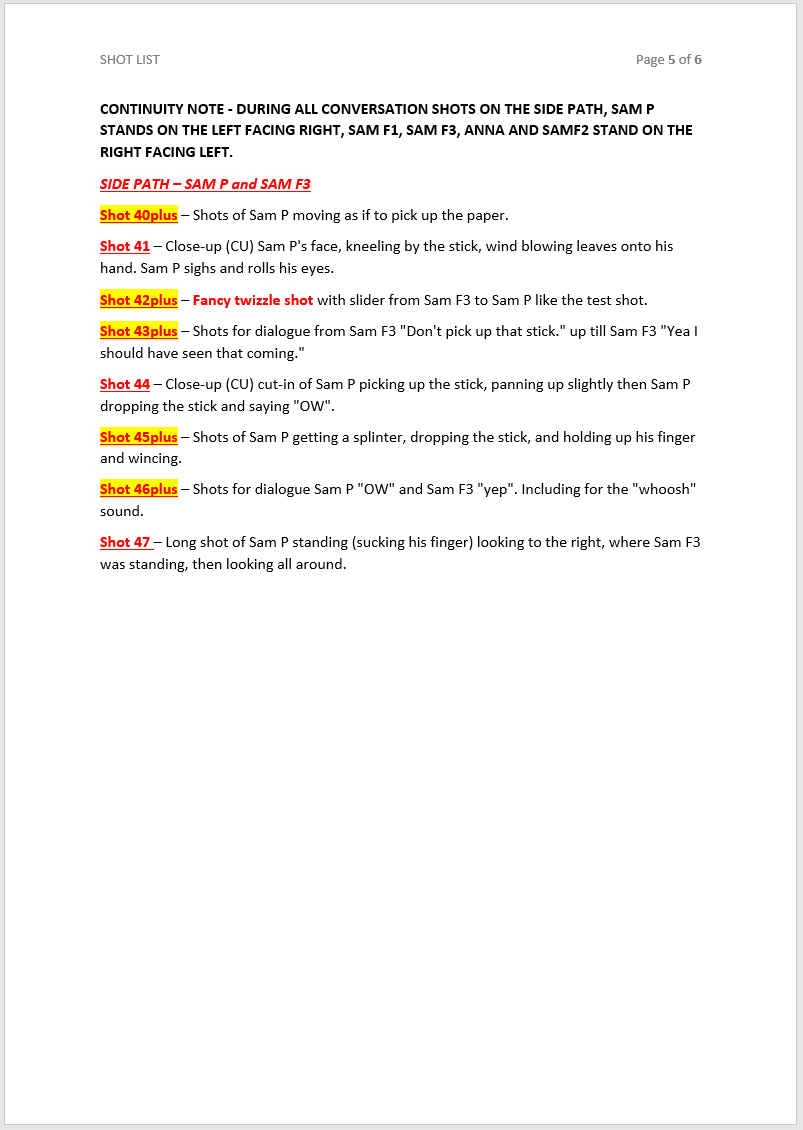
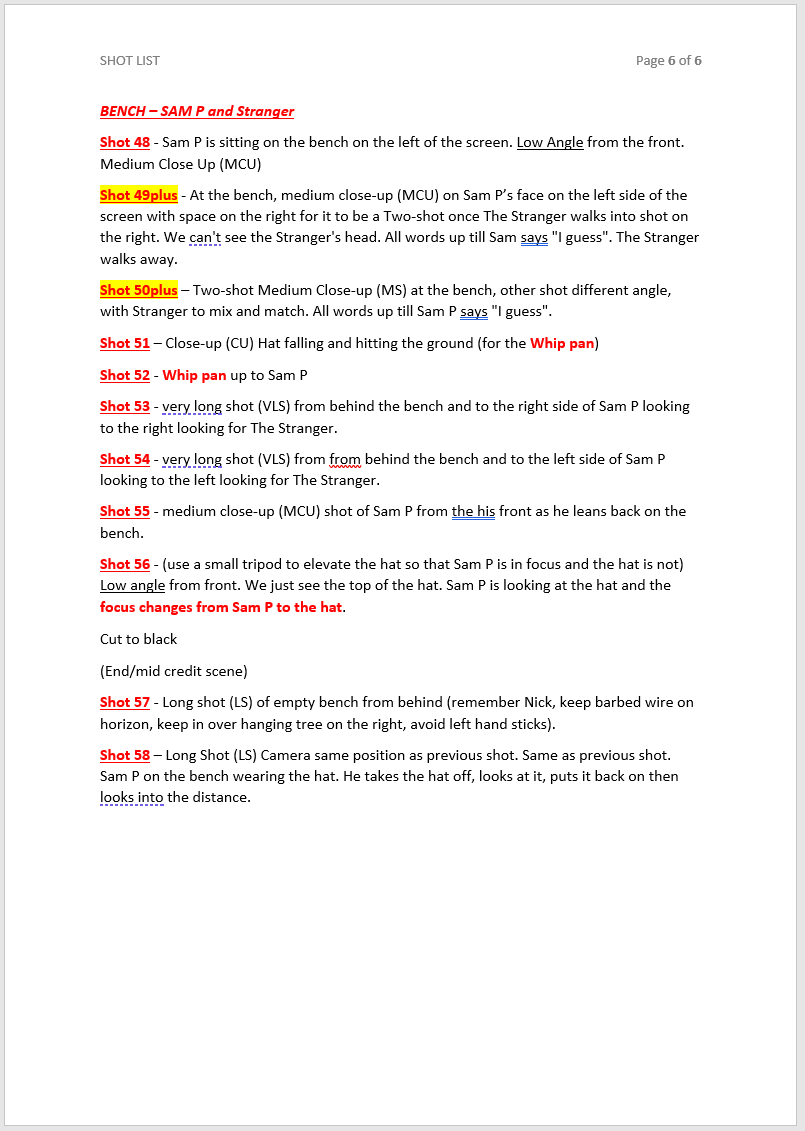
I have created a shot list for my Principal Photography. I have done it slightly differently to how I usually do it, due to filming with the Panasonic Lumix S1H with which I can film in 4K. My research into Storyboards showed me that many Fiction Film/TV Directors choose to create Storyboards and/or Shot Lists in a way that is the most helpful to them. I discuss this in my Storyboards Section.
For my Shot List I usually make a list of the exact shot type that I want for each shot, using abbreviations like CU for Close-Up, LS for Long shot, MS for Medium Shot, MCU for Medium Close-up etc. But for my Year 2 FMP I am filming in 4K for a reason. Because I have one actor playing 4 different versions of himself, sometimes on screen at the same time, I am filming in 4K so that I can crop shots to mask them accurately. Then I will export in 1080p so that I don’t lose any resolution by cropping.
Where I definitely need Close-Ups, I have put CU on the shots list, for example the opening shot of Sam P’s feet then Sam F’s feet walking past the camera. But because I will have the extra flexibility when editing, I will be filming many shots a bit further out than I need and making it more precise when I edit. I have numbered my shots in the order I want to shoot them, e.g. “Shot 03”. In these places there is a specific shot type that I want to get, like the Close-Up of the feet. But in some places, I have labelled them “Shot 04plus”. The “plus” is because I want a series of shots for that particular shot, to give me lots of options and flexibility for editing, given that the 4K means I won’t lose resolution when I export in 1080p. This all makes sense to me and it is a considered decision and the most helpful way for me to make my shot list.
From my research, it makes sense to me that if I am creating a shot list for a different cinematographer to film, then I do have to detail every single shot. I can also see how important a shot list is to make sure you get all the shots you need to tell the story. My shot list does that, but it also gives me extra information to remind myself that for some shots I want a variety of different versions, to give me that flexibility and options in my edit.